
Mounting Cync Outdoor Light Strips
This article provides instructions on mounting and installing Cync Outdoor Light Strips.
Quickly navigate to a specific section by selecting a link below.
Before You Begin
Installation
Extend Strip and Manually Enable Light Show
Before You Begin
You will need the following items for installation:
- Scissors
- Screwdriver
- Drill with 1/16" drill bit
- Tape measure
- Pencil
- Smartphone with the Cync App installed
Before you begin, it is important to understand the bending options:
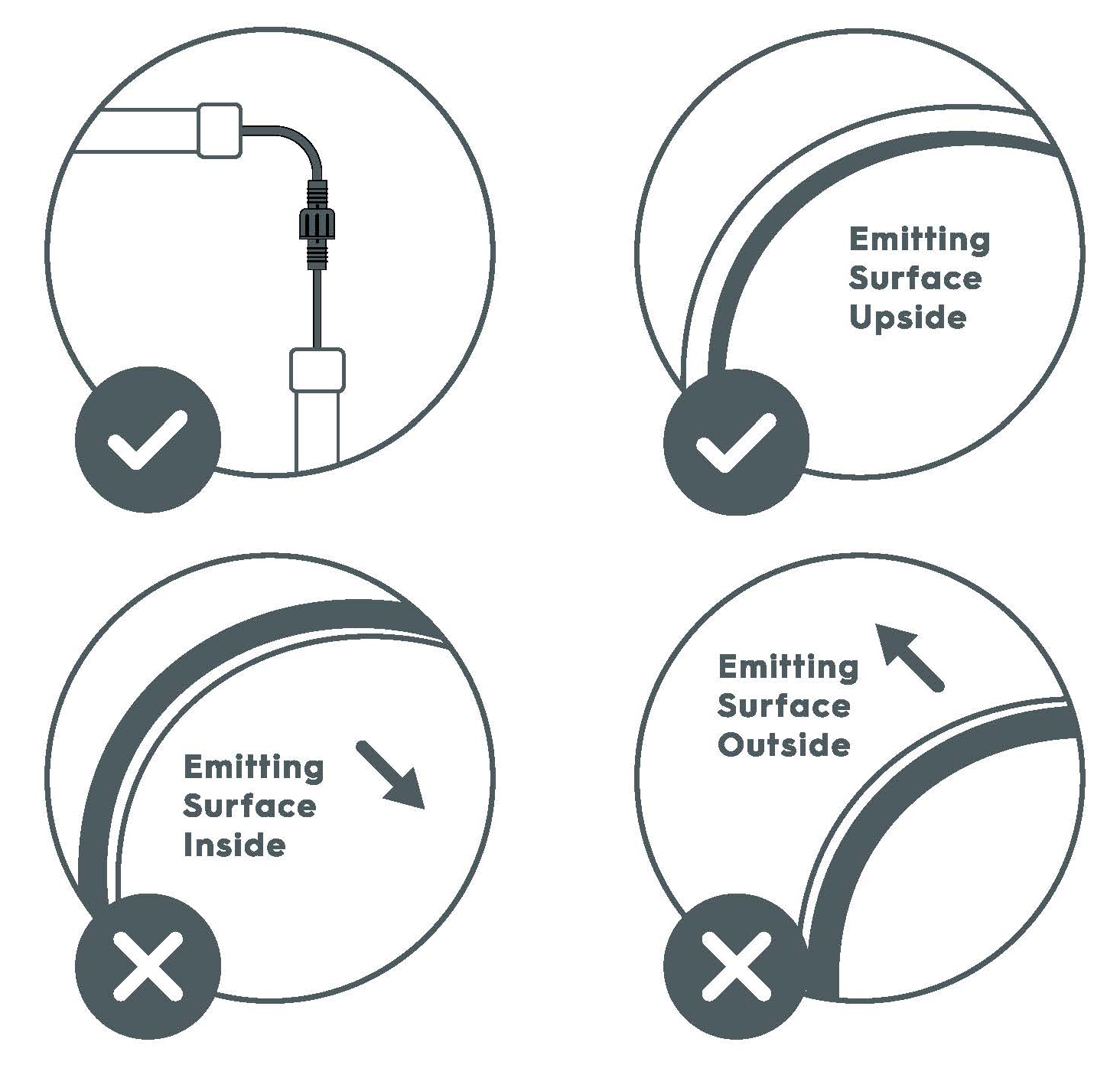
Installation
Connect to the Cync App
- Connect to the Cync App. Make sure you are within range of the Wi-Fi.
- Plug in your Dynamic Effects Outdoor Light Strip. Turn it on by pressing the on/off button on the power supply.

- Add your Dynamic Effects Outdoor Light Strip to your Home in the Cync App. From to the Home screen navigate to Add Devices > Light Strips > Outdoor Light Strips. Follow the steps instructed by the Cync App.

Extending and Trimming to Desired Length
Fully read these steps before attempting to trim your Light Strip.
- Measure the area where you are installing the light strip. If your space requires you to extend the Light Strip with Light Strip Extensions, make sure to attach them before trimming your strip.
If you extend:- Make sure the strip is not plugged in to the outlet prior to attaching extension.
- Remove plastic cover from end to link strips.
- The 16 ft Dynamic Effects Outdoor Light Strip can be extended up to 32 ft, and 32ft Dynamic Effects Outdoor Light Strip can be extended to 64 ft.
- When using the connectors, arrows must be aligned with the top of the strip to ensure the extension is connected correctly.
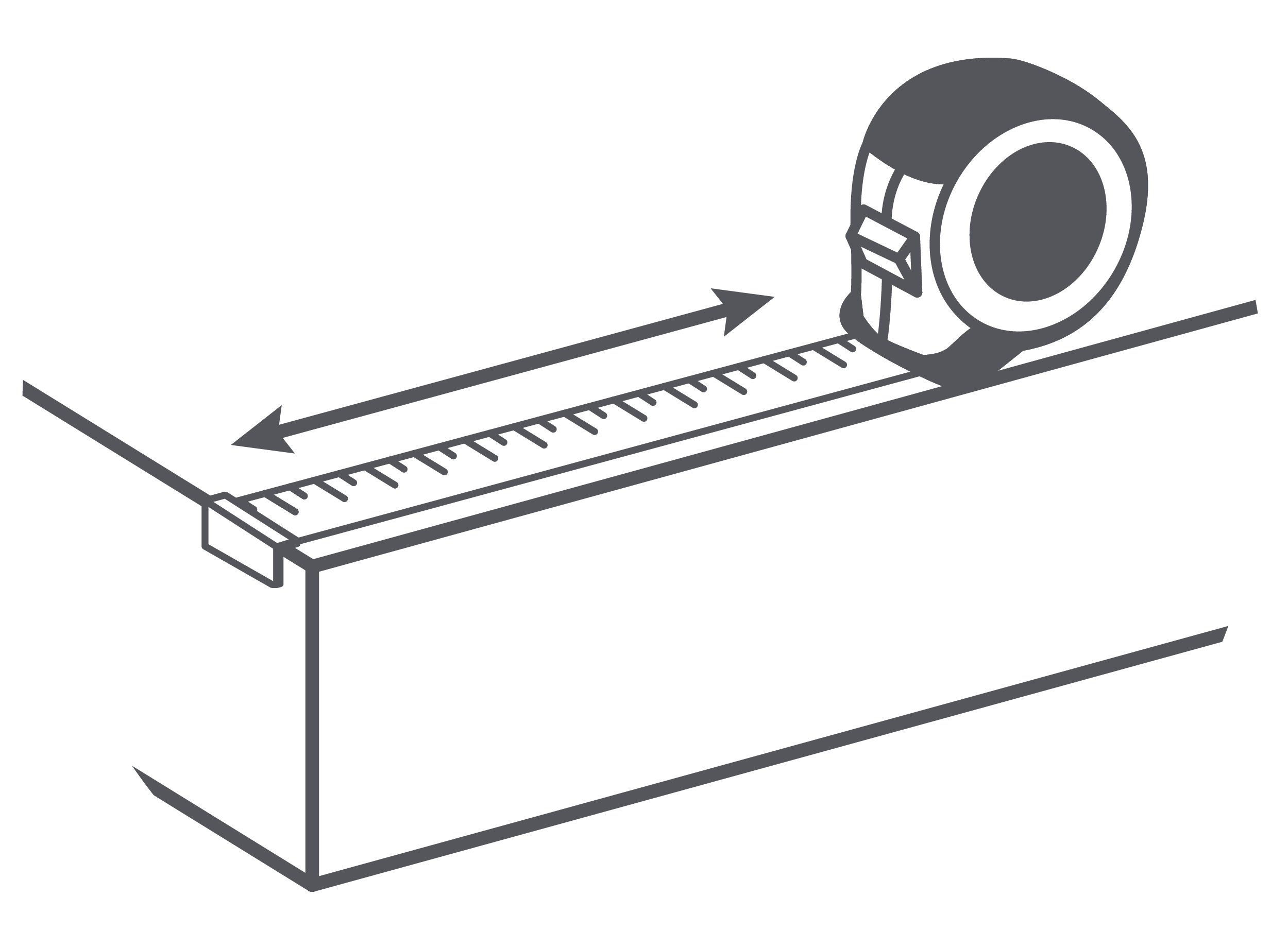
- With your Light Strip unplugged, search the side of the strip where trim points are indicated. These points are where you can safely cut your strip. Cut to desired length.
If you trim:- Make sure the strip is not plugged into the outlet when cutting.
- Only trim the strip where shown on image below. Other areas will permanently damage the strip.
- The part that is cut from the strip is no longer usable.
- Once the strip is trimmed, you will not be able to connect the extension.
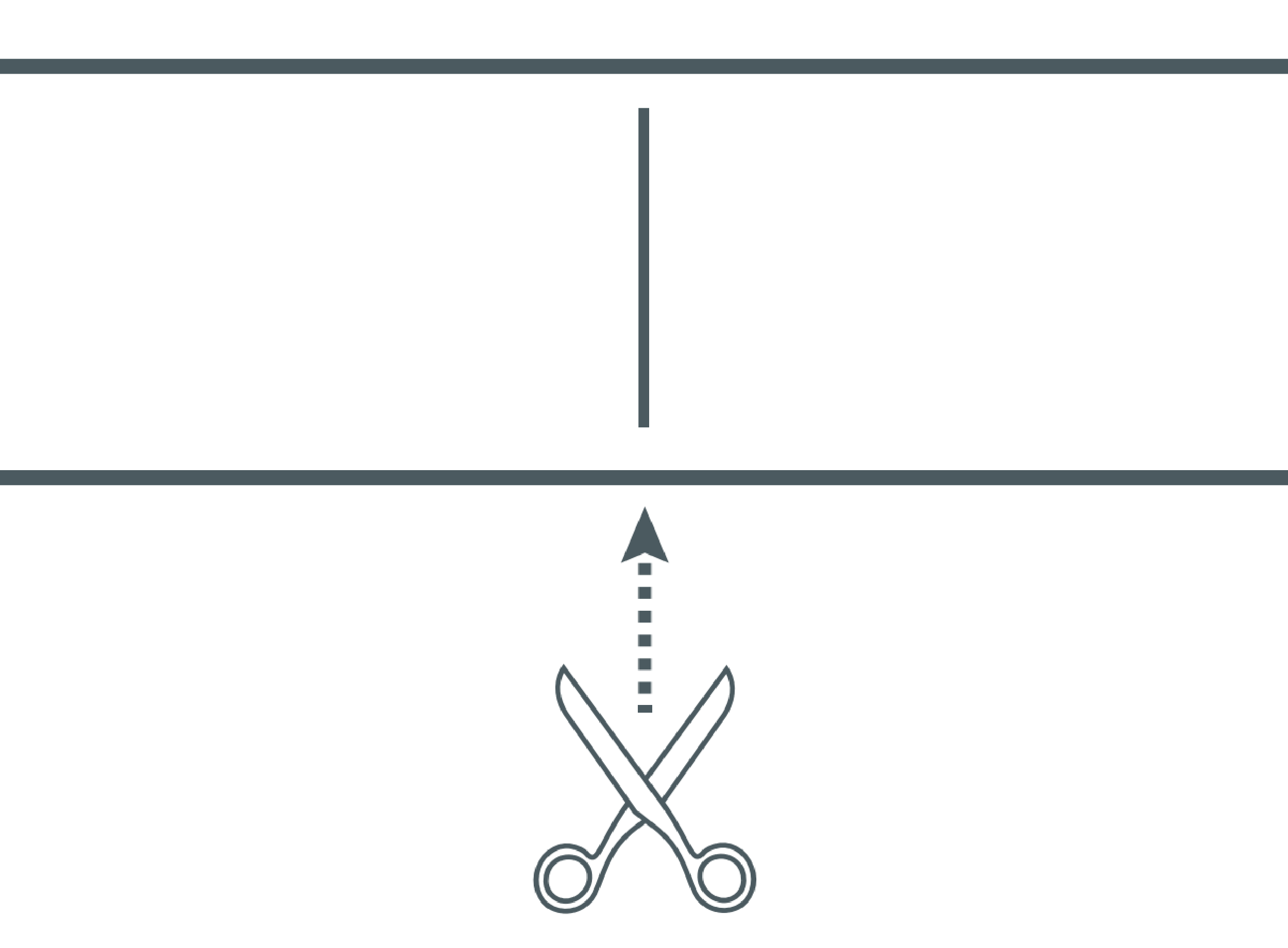
- Using an end cap and glue provided in the box, put a bead of glue around the inside of the cap. Insert it at the end of the strip you just trimmed. Let it dry for 30 minutes.
Prepare Surface and Install Light Strips
- Locate the starting point to install the strip. Mark with a pencil and drill a 1/16" hole.
NOTE: Mounting screws and clips will damage walls.
- Install the first clip using a provided screw. The open ends of the clips should be facing the desired direction you want them to go in. Install a clip every 13" until you reach the end of the desired location for the strip.
- Mount the light strips into the clips by snapping them into place on each clip making sure the light emitting side is facing outward.
- To reposition the strip, unsnap the light strip and reinstall the mounting clip in the desired location. Note that mounting screws and clips damage walls.
- Connect the power supply to a waterproof outlet box.
- Turn on the Light Strip to complete set-up.
Extend Strip and Manually Enable Light Show
- Turn the Light Strip off and unplug from the power supply.
- Twist the waterproof connector on to the Light Strip Extension.
NOTE: The 16ft Dynamic Effects Outdoor Light Strip can be extended up to 32ft in total, and the 32ft Dynamic Effects Outdoor Light Strip can be extended up to 64ft in total. If the Light Strip is not being extended, make sure the connector is cap is securely fastened.

- Unplug and re-plug your Light Strip so the software to detect its new length. This is important to Light Shows.
- Cycle through the Light Show presets by pressing the Light Show Button.
- Installation of your Dynamic Effects Outdoor Light Strip is now complete.