
Deleting a Cync Account
How to permanently delete your Cync account.
Deleting a Cync account must be done on an Admin Account in the Cync app. This action is permanent and cannot be undone. All data will be lost. if you do not have access to your Cync account and cannot log in, please contact support.
- Log into the Admin Account of the Cync app.
- Access Settings from the Homescreen.
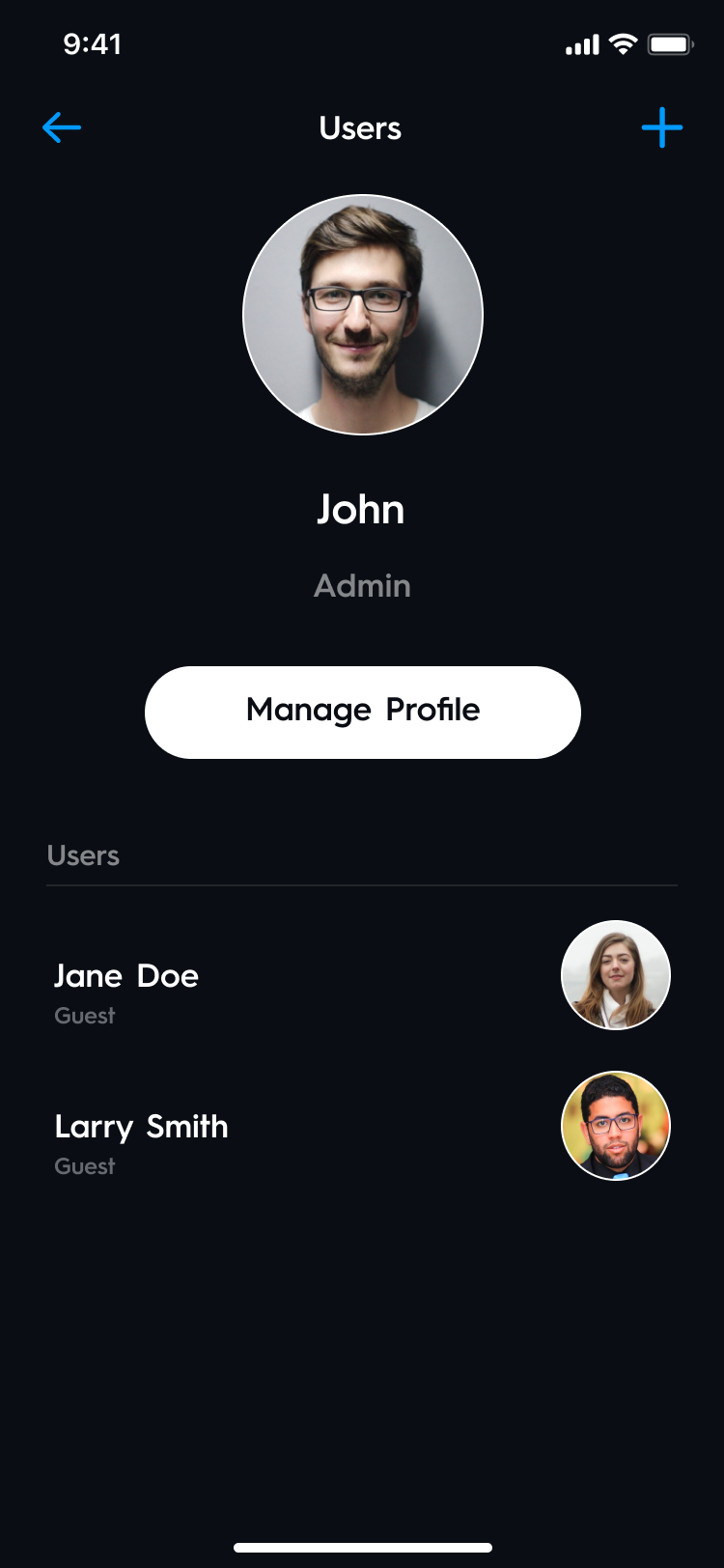
- Select Users.
- Select Manage Profile.
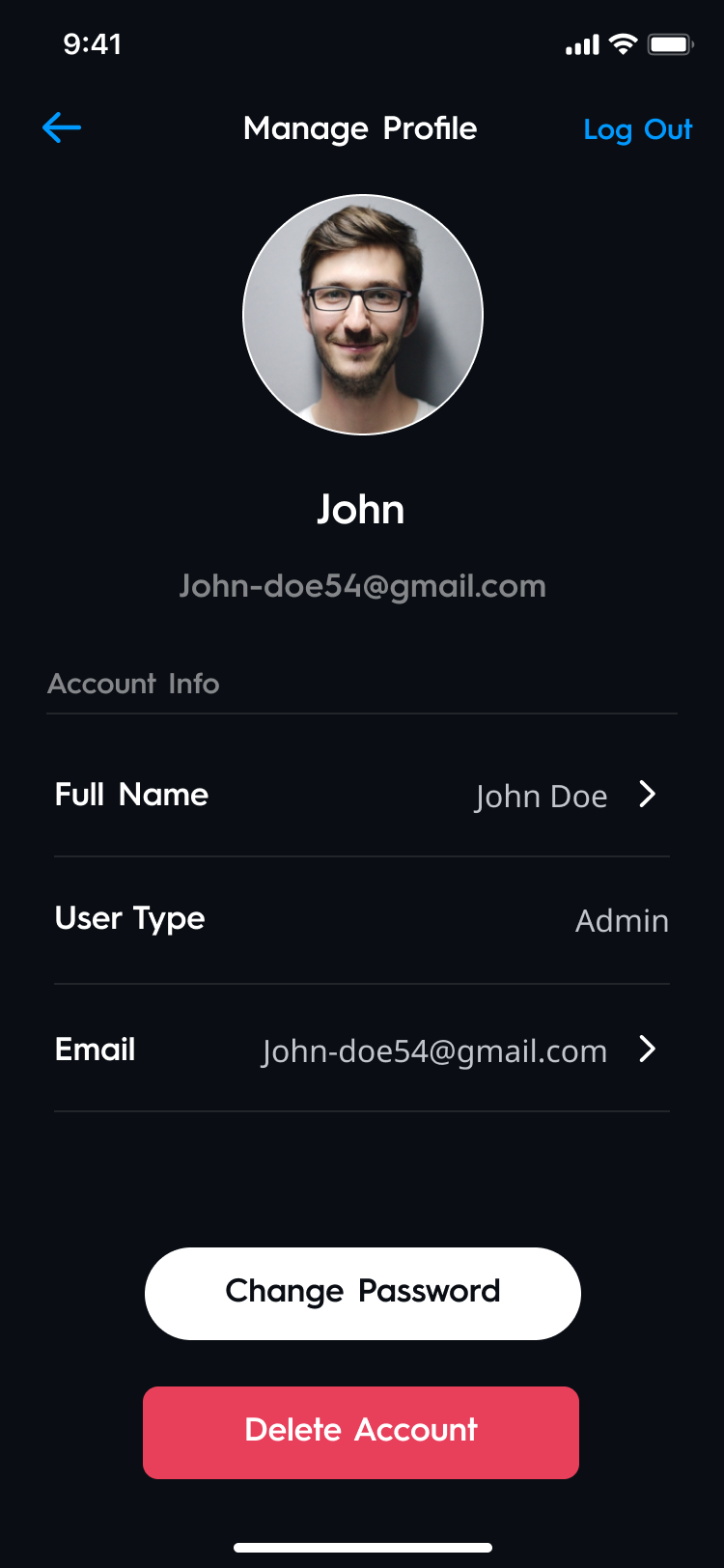
- Select Delete Account. All data and devices will be deleted from your account. If you have a camera subscription, it will be automatically terminated.
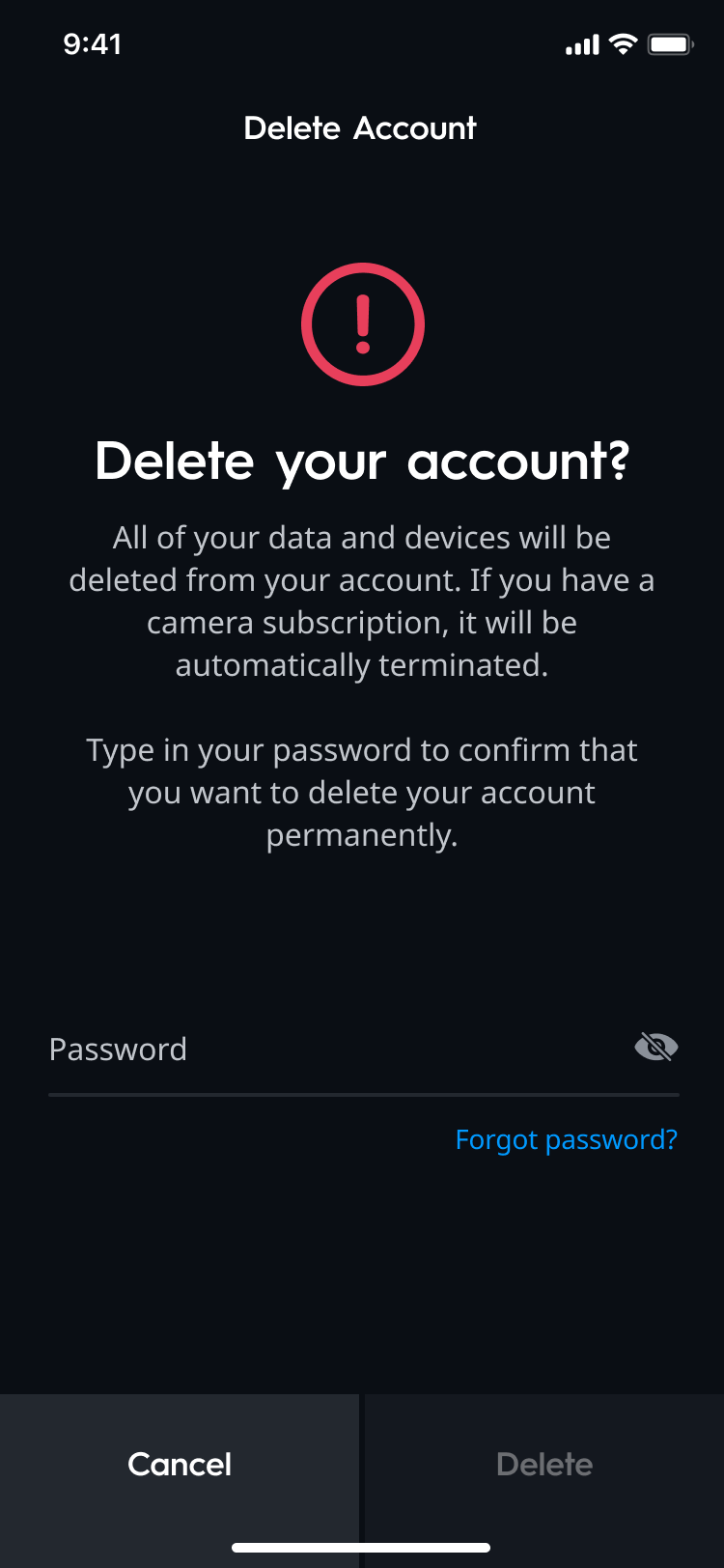
- Type in your password and select Delete. This action cannot be undone.
- Your account is successfully deleted. The following actions will be performed when an account is deleted:
- All homes in which you were the Admin will be deleted. All connected devices will need to be manually reset. Any device that was not connected at the time will need to be manually reset to be discoverable once again.
- Any active Camera Cync subscriptions will no longer automatically renew at your next billing cycle.
- Any guests who had access to homes under your account can no longer view those homes in the Cync app.
- Your email will be unsubscribed from Cync marketing communications.
- All homes in which you were the Admin will be deleted. All connected devices will need to be manually reset. Any device that was not connected at the time will need to be manually reset to be discoverable once again.