
Controlling Reveal Lights
You can easily control your Cync Reveal Lights with the Cync app, a linked voice assistant, or with another Cync smart device - like a smart switch, remote, or wire-free motion sensor.
What is Reveal Lighting?
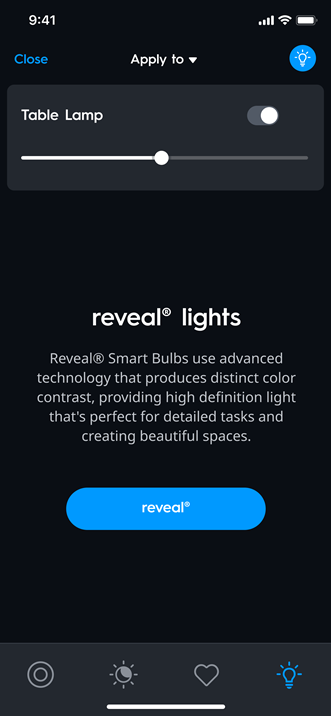
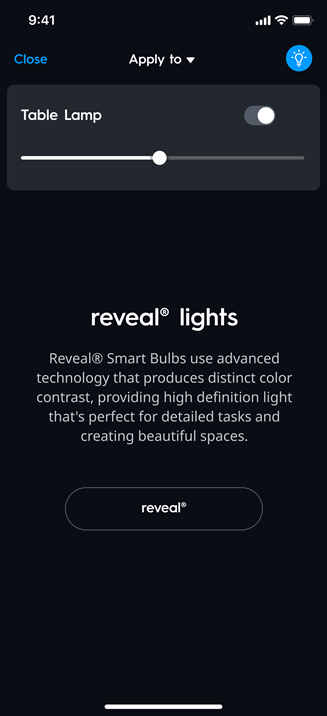
Reveal Smart Bulbs use advanced technology that produce distinct color contrast, providing high definition light that is perfect for detailed tasks and creating beautiful spaces.
How do I enable Reveal in the Cync app?
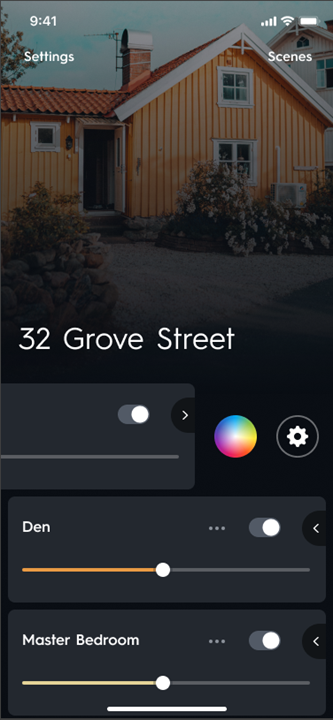
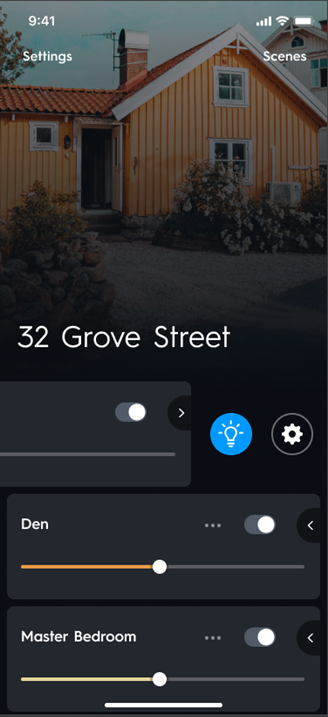
You can enable Reveal for your lights at the room, group, or reveal light device card by selecting the chevron to view the corresponding menu options. Depending on the lights in your room or group, you may see either a full color icon, tunable white color icon, or the reveal icon. Tapping the color or reveal icon in the menu will navigate you to the reveal control screen to enable reveal.
You can disable reveal on the same reveal control screen or by setting your room, group, or reveal light to a full color or tunable white option.
Enable Reveal from the Room, Group or Reveal Light Device Card
- Navigate to the Room or Group in your Cync App.
NOTE: Your Home screen may appear different if you have multiple device types, or have only one room. To learn more about the different home screens click here.
- From the Room or Group card with your Reveal Light, select the chevron to expand the drawer.
- Select color or reveal icon (lightbulb) to navigate to the color control screens for the room or group.
- When on the control screen, select reveal icon (lightbulb) in the bottom menu and select the "reveal" button to enable/disable.
| Reveal Full Color |
  |
| Reveal Soft White |
  |
How do I control my lights with my Alexa or Google voice assistant?
- You can control your lights with the Amazon Alexa app and voice assistant, and the Google Home app and voice assistant.
Alexa Voice Control
First, you need to Enable Alexa Control.
- Once you've enabled Alexa Control, make sure the names you give your Cync devices and rooms in the Alexa app matches the names in the Cync app.
- You can control your lights through the Alexa app, or with voice commands to an Alexa voice assistant.
Voice Commands
- Alexa, set [room/light name] to reveal.
Google Voice Control
First, you need to Enable Google Control.
- Once you've enabled Google Control, make sure the names you give your Cync devices and rooms in the Google Home app matches the names in the Cync app.
- You can control your lights through the Google Home app, or with voice commands to the Google voice assistant.
Voice Commands
- Hey Google, set [room/light name] to reveal.